
Member Guide to Company Profile Updates
Date postedFebruary 12, 2025
American Floral Alliance members with primary or management access in Member Compass can review and update their company’s profile and staff roster. Contact us if you need assistance.
Instructions:
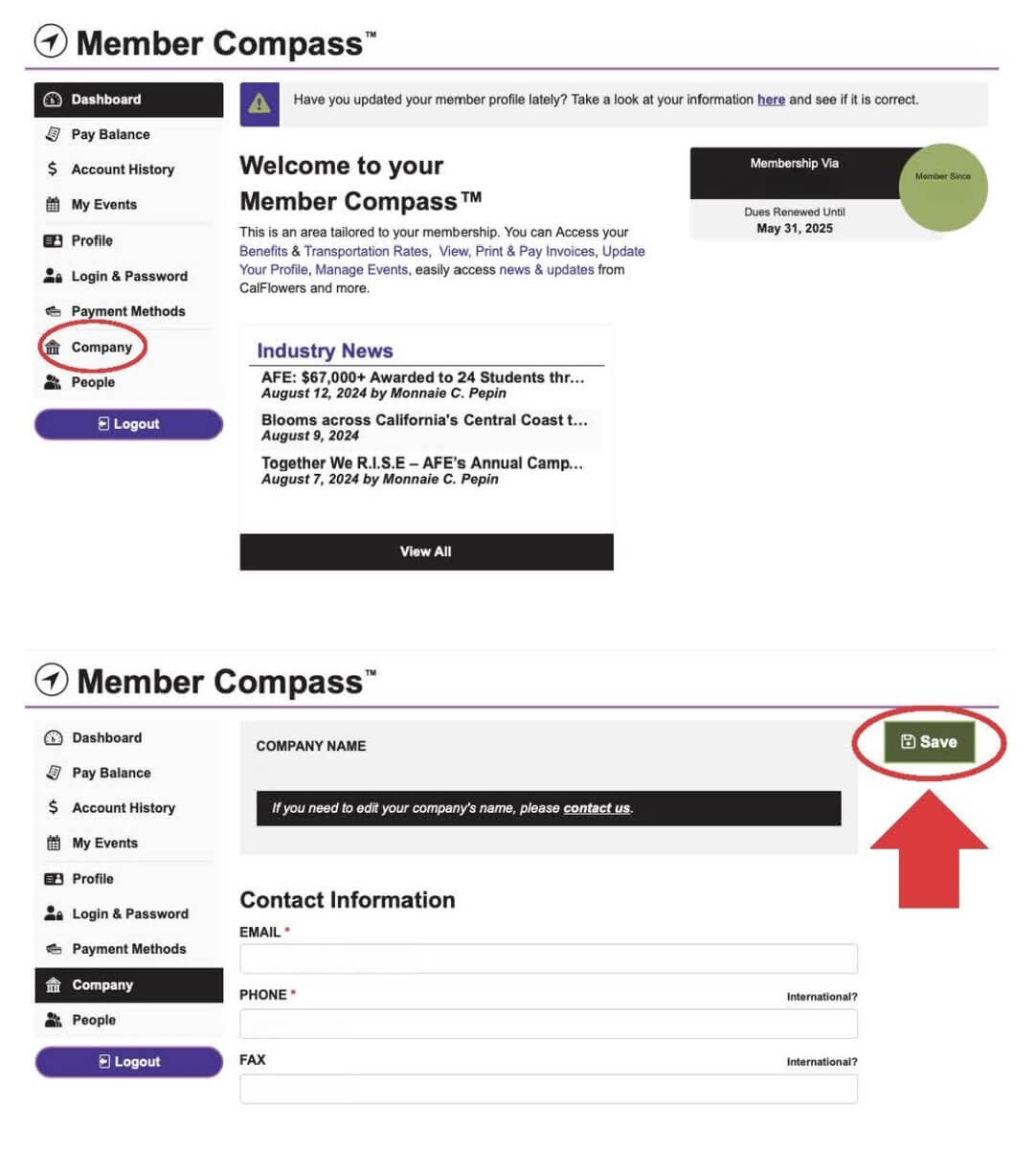
- Log into your Member Compass:
- Select the Company tab to update contact information and company details.
- Select the People tab to update the staff roster.
- Select the Payment tab to add a payment method and manage auto-pay.
- Be sure to click the SAVE button prior to exiting the web page.